
Last Updated: November 5, 2026
Quick Summary
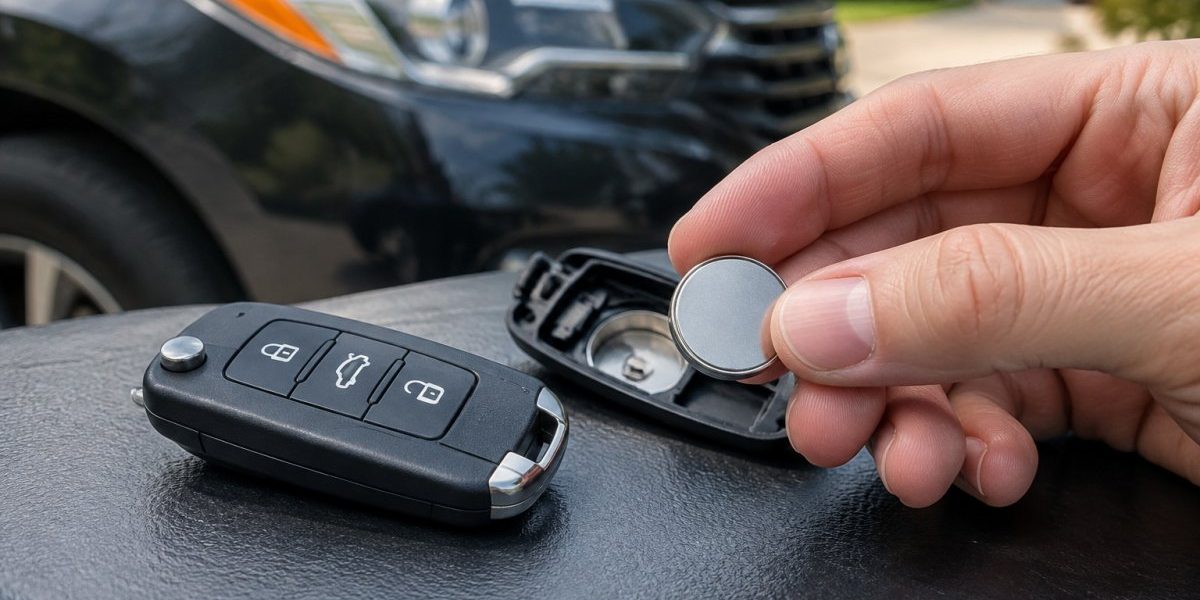
A dying key fob battery usually shows warning signs first, including reduced operating range, delayed response that needs several button presses, and a dim or missing LED indicator. Some vehicles also show a low-battery alert on the dashboard. Watch for these symptoms and replace the battery before the fob fails completely.
- Watch for shorter range, where the fob only works when you stand close to the door.
- A slow response that needs multiple button presses is a common early sign.
- A dim or missing LED light on the fob often means the battery is low.
- A low battery can stop push-button start cars from starting, so check the owner’s manual for an emergency method.
- Test a spare fob or the car battery before buying parts, since weak car batteries can cause similar symptoms.
Table of Contents
- Why a Failing Key Fob Battery Matters More Than You Think
- Bad Key Fob Battery Symptoms to Watch For
- Can a Low Battery in Key Fob Cause Car Not to Start?
- How Long Does a Car Key Fob Battery Last?
- How to Confirm the Battery Is the Real Cause
- How to Replace a Car Key Fob Battery Safely
- Booking Help When the Fob Fails Completely
- Frequently Asked Questions
Why a Failing Key Fob Battery Matters More Than You Think
A dying car key fob battery is one of the most common reasons drivers find themselves stuck in a parking lot.
A key fob is a small remote that locks, unlocks and sometimes starts your car.
Ignoring the signs can leave you locked out or unable to start the car.
Bad Key Fob Battery Symptoms to Watch For
Most weak fobs show a pattern of small problems before they stop working. Watch for the symptoms below, especially if more than one shows up at the same time.
Reduced Operating Range
A fob with a healthy battery usually works from a good distance away from the car. If you have to stand right next to the door before the lock responds, the battery may be losing strength.
- Test the fob at the same spot each time
- Note how far away it works compared to last month
- Try the test again after you walk closer to the car
Delayed Response and Needing Multiple Button Presses
A weak battery often slows the signal from the fob to the car. You may press the lock button once and see nothing happen for a second or two. Some drivers end up pressing the button three or four times before the doors respond.
- Count how many presses it takes to lock or unlock
- Notice whether the delay gets worse over several days
- Check whether the problem happens with every button or only one
Weak or Absent LED Indicator and Dashboard Alerts
Many fobs have a small light that blinks when you press a button. A dim or missing light is a strong sign that the battery is low. Some vehicles also display a low-battery warning on the dashboard or in the driver information screen.
- Look at the LED light in a dim room for a clearer view
- Watch for dashboard messages that mention the key or fob
- Treat any dashboard alert as a reason to check the battery soon
The table below summarises the main warning signs and what each one usually means.
| Symptom | What it suggests | Quick check |
|---|---|---|
| Reduced operating range | Battery losing strength | Test from the same spot each time |
| Delayed response | Signal slowed by low power | Count presses needed to lock or unlock |
| Dim or missing LED | Battery is low | Check the LED in a dim room |
| Dashboard low-battery alert | Fob battery needs attention | Replace the battery soon |
Can a Low Battery in Key Fob Cause Car Not to Start?
Yes, a low battery can stop a car from starting in some vehicles. This is most common with push-button start systems, where the car needs to detect the fob before the engine will run.
If the car does not start, try these steps:
- Hold the fob directly against the start button or the marked spot on the dashboard
- Check the owner’s manual for the emergency start method
- Replace the battery before you try to drive far
Some fobs and cars also show a message that the key is not detected. That message is a clear sign to check the battery first.
How Long Does a Car Key Fob Battery Last?
Car key fob battery life depends on how often you use the fob and the type of battery inside it. Heavy use, frequent button presses and extreme heat or cold can shorten battery life.
Fobs that use push-button start or remote engine start may use more power. Replacing the battery on a regular schedule is often easier than waiting for it to fail.
How to Confirm the Battery Is the Real Cause
A weak fob battery and a faulty fob can produce the same symptoms, so the goal here is to rule out the cheap causes before you buy parts. Work through the steps in order and stop when you find the cause.
Step 1: Score the Symptoms
Write down what you are seeing: the distance at which the fob works, how many presses it takes, whether the LED is dim, and whether any dashboard message appears. A pattern of gradually worsening range and response points to a weakening battery, while a sudden total failure with a bright LED points more toward a fob fault or interference.
Step 2: Try a Spare Fob
If you have a second fob, test it from the same spot. If the spare works normally, the vehicle’s receiver and battery are probably fine and the problem is in the first fob, which makes a battery swap the logical first move. If both fobs behave the same way, the cause is more likely the vehicle side, such as a weak car battery or a receiver issue.
Step 3: Check the Vehicle Battery and Electrical System
A weak 12-volt car battery can cause slow or unreliable fob response and can also trigger key-not-detected messages on push-button start vehicles. Look for dim headlights at idle, slow cranking or other electrical oddities. A car battery can usually be tested at a local auto parts store, which is a quick way to rule this out before you replace a fob battery that was never the problem.
Step 4: Rule Out Interference
Radio interference can mimic a weak battery by shrinking range or blocking the signal. Common sources include phone chargers, laptops, power banks, large metal structures, and clusters of other vehicles or electronics. Move the fob and the vehicle to a different spot, such as away from a building or a crowded lot, and test again.
Step 5: Inspect the Fob for Damage
Look for a cracked case, a stuck button, moisture inside the case, or a bent battery contact. A button that stays pressed can drain a new battery in days, and corrosion or a loose contact can cause intermittent operation that looks exactly like a weak cell. If the case is damaged or wet inside, dry it out and have it inspected before installing a new battery.
Step 6: Replace the Battery and Retest
If the earlier steps point to the fob and the fob is undamaged, install a fresh battery of the correct type and retest range, response and starting. If the problem persists with a known-good battery, the fault is likely in the fob circuitry, the vehicle receiver or the pairing, and an automotive locksmith can diagnose it rather than having you keep buying batteries.
How to Replace a Car Key Fob Battery Safely
Most fob batteries are easy to replace at home with a few basic tools, but the details decide whether the fob works afterward or ends up with a cracked shell or a bent contact. Work slowly and keep the small parts contained.
Step 1: Identify the Correct Battery Type
Open the owner’s manual first and look for the battery specification, or check the inside of the fob case once it is open. The most common sizes are CR2032, CR2025 and CR2016 coin cells, and they are not interchangeable even though they look similar. Coin cells of different thicknesses are not interchangeable, so putting the wrong size in can leave the contact loose or prevent the case from closing.
Step 2: Open the Fob Without Damaging It
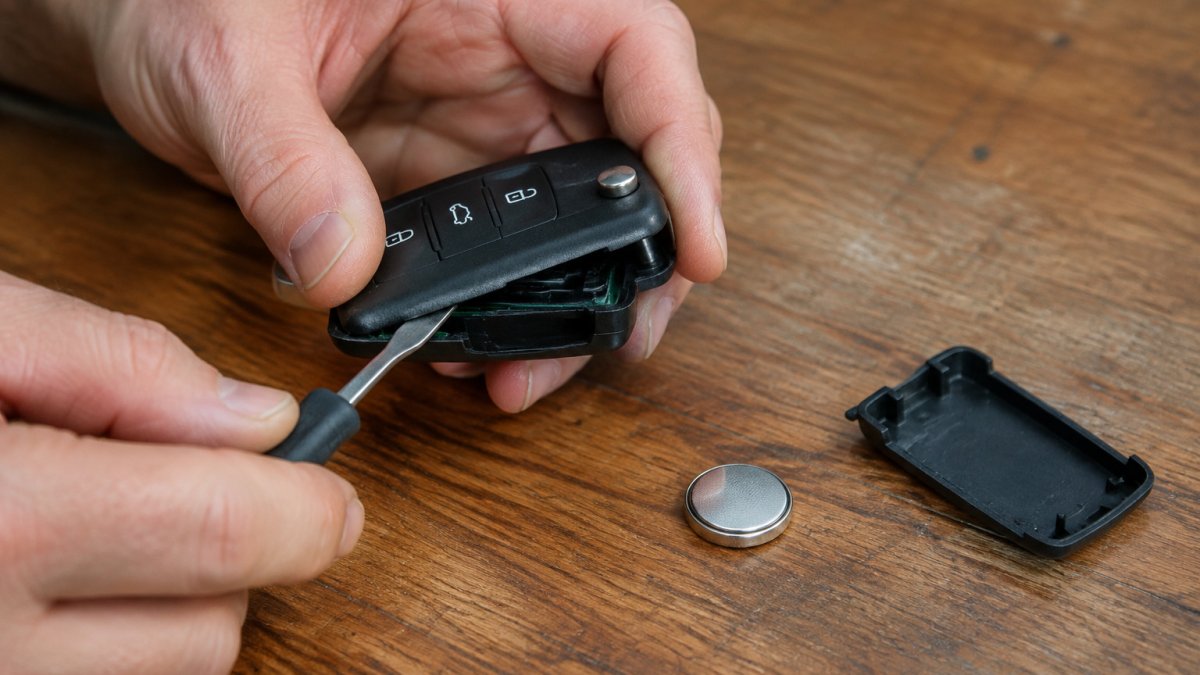
- Look for the seam where the two halves of the case meet, usually along the side or under a small cover.
- Some fobs have a hidden mechanical key that releases the case; slide it out first if your model has one.
- Insert a small flathead screwdriver or a plastic pry tool into the seam and twist gently rather than prying hard.
Watch out: Prying hard on one corner is the most common way to crack the plastic shell or snap a retaining clip, and a cracked case lets moisture in and can make the buttons unreliable.
Step 3: Note the Battery Orientation Before Removing It
Before you lift the old battery out, look at which side faces up. Coin cells have a positive (+) side and a negative (-) side, and the fob only works when the battery sits the same way the old one did. Take a photo with your phone if you are unsure.
Step 4: Check the Contacts and Seal
While the case is open, look at the metal contact tabs and the rubber gasket or seal around the edge. A bent contact tab can cause intermittent operation even with a new battery, and a gasket that is twisted or missing lets moisture and dust into the fob. Gently straighten a bent tab with a plastic tool, and reseat the gasket in its groove before closing the case.
Step 5: Install the New Battery and Close the Case
- Set the new cell in the same orientation as the old one.
- Press the two halves of the case together until the clips snap, working around the seam.
- Do not overtighten or force the case; if it will not close, the battery is probably the wrong thickness or the gasket is out of place.
Step 6: Test Every Function
Test lock, unlock, trunk release and panic, and if your fob supports push-button start, start the car once to confirm the vehicle detects it. If one button works and another does not, the problem may be the button membrane or the contact rather than the battery.
Model-Specific Notes
Some fobs use sealed cases, tamper-resistant clips or a rechargeable cell, and some vehicles require the fob to be re-paired after a battery change. If your fob does not open with gentle pressure, or if the car does not recognize the fob after the swap, check the owner’s manual or have an automotive locksmith handle it.
Booking Help When the Fob Fails Completely
If the fob stops working entirely, or you are locked out with no spare, Finest Locksmith LLC can help. Our transponder key programming cost comparison between a locksmith and a dealer explains what reprogramming a replacement key typically involves. If you are stranded, our emergency lockout service arrival time explained shows how quickly a technician can typically reach you. Visit our car key and remote replacement service page to see what we handle for your vehicle. You can also browse our key products if you need a replacement fob or key. For a quote on automotive service, request an auto locksmith quote.
Frequently Asked Questions
How do I know if my key fob needs a new battery?
The most common signs are a shorter operating range, delayed or repeated button presses, intermittent locking and unlocking, and a dim or missing LED indicator when you press a button. Dashboard warnings about a low key fob battery are another clear sign. If you notice several of these together, especially if the problem appeared gradually, replacing the battery is a sensible first step. Testing with a spare fob or using the physical key can help confirm the fob itself is the cause.
Can a low key fob battery cause a car not to start?
Yes, in many push-button start vehicles a weak fob battery can prevent the car from detecting the key, so the engine will not start even though the battery in the car is fine. Many vehicles have a backup procedure, such as holding the fob against a marked spot on the dashboard or steering column while pressing the start button. Check your owner’s manual for the exact emergency start method for your model.
How long does a car key fob battery last?
Most key fobs use a small coin-cell battery, and its life depends on how often you use the fob and the battery type. Frequent use, extended range settings, and vehicles with push-button start can shorten that window. Because the decline is gradual, keeping a replacement battery on hand and noting when you last changed it can help you avoid being stranded.
How do I replace a car key fob battery?
Open the fob carefully using a small flathead tool or a thin plastic pry tool, noting the battery orientation before removing it. Replace the coin-cell with a fresh battery of the exact model number printed on the old one, and make sure the positive side faces the same direction. Close the case, test every button, and confirm the LED lights up. Many fobs need no reprogramming, but check your owner’s manual if the vehicle does not respond.
